
Introduction
Businesses communicate with customers every day. They send verification codes, appointment reminders, order updates, promotional offers, and important service notifications. But choosing the right channel for each message can make a real difference in how customers receive and respond to that communication.
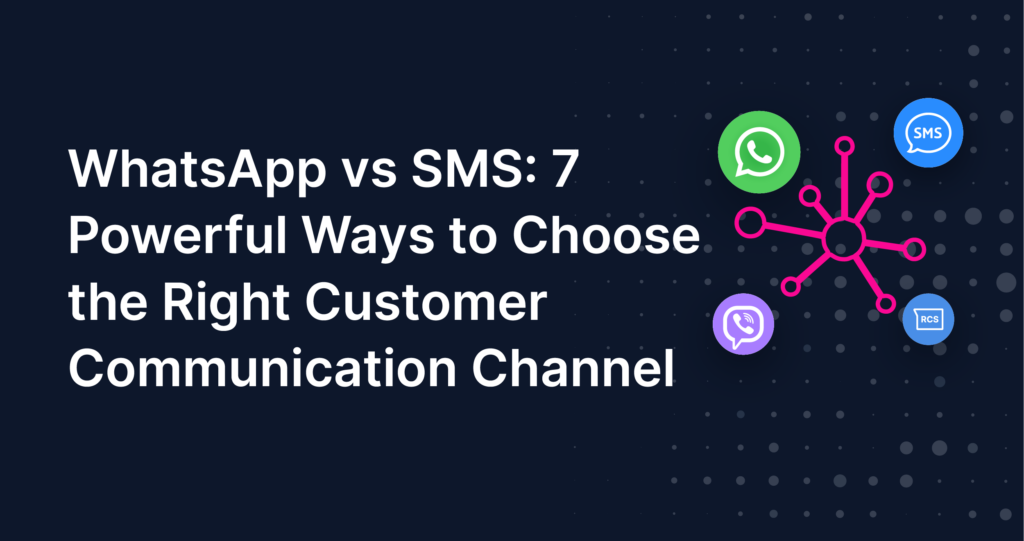
Two of the most widely used business messaging channels are WhatsApp and SMS. Both help businesses reach customers, but they serve different communication needs. SMS offers a direct and familiar way to deliver short messages, alerts, reminders, and verification codes. WhatsApp provides a more interactive environment where businesses can build conversations, share richer content, automate responses, and support customers throughout their journey.
So, which channel should a business choose?
The answer depends on the message, the customer, and the result the business wants to achieve. There is no single winner for every situation. A verification code may work well through SMS, while a product inquiry or customer support conversation may be better suited to WhatsApp. In other cases, using both channels as part of a coordinated communication strategy can help businesses reach customers more effectively.
With Javna, businesses can use WhatsApp Business Platform and enterprise SMS within a broader customer engagement environment. This makes it possible to plan communications around different customer needs, automate selected workflows, and use supported channels for notifications and verification.
This guide explores seven important factors to consider when choosing between WhatsApp and SMS. It also explains how businesses can combine both channels to create more consistent and useful customer communication.
WhatsApp vs SMS: Understanding the Main Differences
WhatsApp and SMS are both valuable business communication channels, but they work in different ways. Understanding those differences is the first step toward choosing the right one.
SMS is designed for direct, concise communication. It is commonly used for one-time passwords, transaction alerts, appointment reminders, service updates, and promotional messages. Because SMS does not require customers to use a particular messaging app, it can help businesses reach mobile users through a familiar communication method.
WhatsApp offers a richer messaging experience. Beyond sending text, businesses can use interactive messages, approved templates, product catalogs, automated conversations, and customer support workflows. It gives customers more opportunities to respond, ask questions, and continue an interaction instead of simply receiving a message.
The main difference is not that one channel can communicate while the other cannot. Both can support important business messages. The difference lies in the type of experience each channel makes possible.
| Feature or Use Case | SMS | |
| One-time passwords | Strong option | Supported |
| Transaction alerts | Strong option | Strong option |
| Appointment reminders | Supported | Supported |
| Order confirmations | Supported | Supported |
| Delivery updates | Supported | Supported |
| Marketing campaigns | Supported | Supported |
| Product discovery | Usually limited to text and links | Supports richer product experiences |
| Customer support | Possible, but more limited | Supports conversational interactions |
| Chatbots | Not usually the primary choice | Supports automated conversations |
| Interactive catalogs | Not supported as a native catalog experience | Supported |
| Service notifications | Supported | Supported |
| Multi-channel verification | Can be part of a verification workflow | Can be part of a verification workflow |
The table shows that the right choice depends on the purpose of the communication. SMS is useful when a business needs to deliver a direct message. WhatsApp is valuable when the interaction benefits from richer content or an ongoing conversation.
What Makes SMS Useful for Business Communication?
SMS remains a practical channel for businesses that need to deliver concise information. It can support transactional messages, promotional campaigns, one-time passwords, reminders, and time-sensitive notifications. Its straightforward format makes it suitable for communications where the main goal is to share information quickly.
For example, a bank may send a transaction notification, an online store may send an order confirmation, and a service provider may remind a customer about an upcoming appointment. In these situations, a short and clear message can communicate the essential information without requiring a longer conversation.
Business SMS platforms can also support bulk messaging, scheduling, automation, API integration, delivery reporting, and campaign analytics. These features help businesses manage communication workflows rather than sending every message manually.
Another useful feature is support for different languages and character sets. Unicode messaging can help businesses send Arabic and English content, making SMS relevant for companies communicating with customers across different language preferences.
SMS can also support verification processes, including two-factor authentication for logins and transactions. When a customer needs a one-time code to confirm an action, a direct message can be a suitable part of the verification process.
With Javna, businesses can use enterprise SMS capabilities for alerts, OTPs, reminders, notifications, promotional campaigns, and bulk messaging. API integration and delivery reporting can help connect messaging activity with wider business workflows.
What Makes WhatsApp Useful for Customer Engagement?
WhatsApp supports a more interactive style of communication. Instead of limiting the exchange to short text messages, businesses can use the WhatsApp Business Platform to create conversations that help customers ask questions, explore products, receive updates, and interact with support teams.
This makes WhatsApp useful across several stages of the customer journey. A customer may first receive a promotional message, then ask for more information, browse a product catalog, and continue the conversation with a support representative. The channel can support these connected interactions within a familiar messaging environment.
Businesses can also use approved message templates, segmentation, automated conversations, and AI-powered chatbots. These tools can help organize customer communication and support recurring questions or common workflows.
WhatsApp can also play a role in commerce and customer retention. Product catalogs can make product discovery easier, while order and delivery updates keep customers informed. Businesses can also use relevant re-engagement messages and abandoned cart recovery workflows to reconnect with customers who have shown interest but have not completed a purchase.
For customer service teams, live conversations and a unified inbox can help manage interactions in a more organized way. Instead of treating every message as an isolated notification, businesses can support a continuing conversation.
Javna supports WhatsApp Business Platform capabilities for interactive campaigns, automated conversations, customer support, product experiences, order updates, cart recovery, re-engagement, and verification use cases. This makes WhatsApp an important part of a broader customer engagement strategy.
Seven Factors to Consider When Choosing Between WhatsApp and SMS
Choosing between WhatsApp and SMS should begin with the communication goal. A channel that works well for a verification code may not provide the best experience for a product inquiry. Likewise, a channel that supports rich conversations may not always be necessary for a short service alert.
The following seven factors can help businesses make a more informed decision.
Message Urgency and Purpose
Start by asking what the customer needs to know and how quickly they need the information. Some messages are simple notifications. Others require a response, an action, or a longer exchange.
SMS is a practical option for concise communications such as verification codes, payment alerts, appointment reminders, and short service updates. These messages often have a clear purpose and do not require a detailed conversation.
WhatsApp can be useful when an urgent update is part of a larger interaction. For example, a delivery notification may lead to a customer asking about the expected arrival time or requesting additional information. The ability to continue the conversation can make WhatsApp a better fit for that experience.
The important point is to match the message format to the customer’s need. Do not use a conversational channel for every simple notification if a direct message is enough. Similarly, do not rely on a basic notification when customers are likely to need more information or assistance.
Type of Customer Interaction
Consider whether the business is sending information or starting a conversation.
If the customer only needs to receive a code, reminder, or brief update, SMS may be sufficient. The message can deliver the required information without asking the customer to take part in a longer exchange.
If the business expects customers to ask questions, explore options, or interact with automated support, WhatsApp may be more suitable. It can support two-way communication and help businesses guide customers through more involved interactions.
For example, an appointment reminder may be sent through SMS or WhatsApp. However, if the customer needs to confirm details, ask a question, or request assistance, a conversational channel can provide a more connected experience.
Businesses should consider the entire interaction rather than focusing only on the first message. A good channel choice makes the next step easier for the customer.
Content Richness and Message Format
Not all business messages contain the same type of information. Some need only a few words. Others benefit from links, product details, interactive elements, or a sequence of messages.
SMS is generally better suited to concise text-based communication. A business can send a short notification or include a link that directs customers to additional information. This works well when the message itself does not need to carry a rich experience.
WhatsApp supports more interactive communication. Businesses can use approved templates, product catalogs, and interactive messages to present information in a way that encourages customers to explore or respond.
For example, a promotional SMS may introduce an offer and include a link to a website. A WhatsApp campaign may provide a more interactive experience that helps customers discover products and continue the conversation.
The best option depends on how much information the customer needs and how they are expected to use it. A short message should remain simple, while a more involved customer experience may benefit from WhatsApp’s richer capabilities.
Customer Reach and Channel Availability
A communication strategy must consider whether customers can be reached through the chosen channel. Businesses should not assume that every customer uses the same messaging app or prefers the same communication method.
SMS offers a familiar way to reach mobile users without requiring them to communicate through a specific messaging application. This makes it useful when a business needs a direct communication method across a broad customer base.
WhatsApp can provide a strong engagement experience for customers who use the platform and are available to receive business messages there. It is especially useful when the business wants to create ongoing interactions rather than deliver only one-way updates.
Businesses can review their customer preferences, communication history, and channel performance to understand which channels work best for different audiences. They can then use those insights to make more relevant decisions.
A thoughtful strategy does not assume that one channel is suitable for everyone. It considers customer access and chooses communication methods accordingly.
Verification and Security Requirements
Verification messages help businesses confirm customer actions, protect accounts, and support secure transactions. These communications often include one-time passwords or codes used during login, registration, or payment processes.
SMS is widely used for OTP delivery and two-factor authentication. Its direct format makes it suitable for sending a short verification code when a customer needs to confirm an action.
WhatsApp can also support verification use cases. The choice between the two channels depends on the verification workflow, customer availability, and the channels supported by the business’s implementation.
For businesses that need more than one verification route, a multi-channel approach can provide additional flexibility. Javna’s Omnichannel Verify supports verification across supported channels, with fallback between channels when a verification attempt through one route fails.
This fallback capability applies to the verification workflow. It should not be confused with automatic fallback across every type of business message or notification. Businesses should define the channel rules according to the specific workflow they are implementing.
Marketing and Customer Engagement Goals
Marketing messages have different goals. Some campaigns simply announce an offer. Others aim to encourage customers to explore products, ask questions, or complete a purchase.
SMS can support promotional campaigns, bulk messaging, and concise offers. It is useful when a business wants to communicate a clear message and direct customers to a website or another destination.
WhatsApp can support more conversational and interactive campaigns. Businesses can use approved templates, audience segmentation, product catalogs, and automated conversations to create a richer customer experience.
For example, an SMS campaign may tell customers about a limited-time promotion and provide a link to learn more. A WhatsApp campaign may allow customers to explore products, ask questions, and continue interacting with the business.
The right channel depends on the campaign objective. Businesses should consider whether they want to inform customers, encourage a response, support product discovery, or build an ongoing relationship.
Need for Channel Fallback
A business may need a communication workflow that can use more than one channel. This is particularly relevant when a message or verification step is important and the business wants an alternative route if the first attempt does not succeed.
For verification, Javna’s Omnichannel Verify supports multi-channel fallback. If a verification attempt through one supported channel fails, the workflow can retry through another supported channel. This helps businesses build verification processes with more than one communication route.
For notifications, Javna’s Omnichannel Notify & Alerts can trigger event-based communications across WhatsApp, SMS, and other supported channels. Businesses can use these workflows for events such as orders, payments, appointments, and system changes.
These are distinct capabilities. Omnichannel Verify supports fallback within verification workflows, while Omnichannel Notify & Alerts supports event-triggered communications across supported channels. Businesses should configure each workflow according to its purpose rather than assume that every notification automatically switches channels when delivery fails.
When Should Businesses Choose SMS?
SMS is a strong option when a business needs direct, concise, and practical communication. It is particularly useful for messages that deliver a clear piece of information without requiring a long conversation.
Common SMS use cases include:
- One-time passwords and verification codes.
- Transaction and payment alerts.
- Appointment and service reminders.
- Order confirmations and short delivery updates.
- Time-sensitive notifications.
- Promotional offers and bulk campaigns.
- Automated messages triggered by business systems.
For example, a financial service may send an OTP when a customer logs in or confirms a transaction. A healthcare provider may send an appointment reminder. An online store may send an order confirmation after a purchase.
SMS can also be useful when businesses want to reach customers through a familiar mobile messaging method. Its concise format encourages clarity: the business needs to identify the purpose of the message and communicate the essential information.
With Javna, enterprise SMS can be connected to business workflows through APIs and automation. Businesses can manage bulk messages, schedule campaigns, send notifications, and review delivery reports and campaign analytics.
SMS is not limited to verification or transactional communication. It can also support promotional campaigns and customer updates. The key is to use it when a direct message is the most appropriate way to communicate.
When Should Businesses Choose WhatsApp?
WhatsApp is particularly useful when the customer experience benefits from interaction. It can support communication that goes beyond sending a short notification and helps customers continue engaging with a business.
Common WhatsApp use cases include:
- Automated customer conversations.
- AI-powered chatbot interactions.
- Customer support and live conversations.
- Interactive marketing campaigns.
- Product discovery through catalogs.
- Order and delivery updates.
- Abandoned cart recovery.
- Customer re-engagement.
- Supported verification workflows.
For example, an online retailer may use WhatsApp to share product information, answer customer questions, and provide order updates. A service business may use automated conversations to respond to common inquiries and help customers find the information they need.
WhatsApp can also support campaigns that invite customers to interact with the business. Instead of receiving only a short promotional message, customers may be able to explore products or ask for more details within the conversation.
Javna’s WhatsApp Business Platform capabilities support these types of customer engagement workflows. Businesses can use approved templates, automated conversations, AI-powered chatbots, product experiences, and customer support interactions as part of a broader communication strategy.
WhatsApp is not automatically the best choice for every message. A short OTP or service alert may not need a rich conversation. The value of WhatsApp is strongest when its interactive features support the customer’s next step.
How to Build an Effective Omnichannel Communication Strategy
Businesses do not have to choose one channel for every customer interaction. In many cases, a combination of SMS and WhatsApp can support different needs across the customer journey.
An omnichannel communication strategy connects channels with the purpose of each interaction. Rather than sending the same message everywhere, businesses can decide which channel is suitable for each event, customer group, and communication goal.
Javna brings WhatsApp, SMS, Messenger, Instagram, web experiences, and APIs into a broader customer engagement environment. This gives businesses a way to organize different communication touchpoints around their workflows.
Match the Channel to the Customer Journey
Start by mapping the stages of the customer journey. Consider how customers discover a business, make inquiries, complete purchases, receive updates, and request support.
Different stages may require different communication methods. SMS may be suitable for a verification code or a concise transaction alert. WhatsApp may be more useful for product discovery, customer questions, or ongoing support.
For example, an online store could use SMS for a short order confirmation and WhatsApp for a more detailed customer interaction about product options or delivery information. The objective is to make each communication useful at the point where it appears.
This approach also helps businesses avoid treating every message as a separate activity. Each communication becomes part of a wider customer experience.
Use Automation and Event-Based Triggers
Automation helps businesses send messages when specific events take place. Instead of relying on employees to manually send every update, businesses can connect communication workflows to actions in their systems.
For example, an order event may trigger a confirmation message. A payment event may trigger an alert. An upcoming appointment may trigger a reminder. A verification request may start an OTP workflow.
Javna’s Omnichannel Notify & Alerts supports event-based communications across WhatsApp, SMS, and other supported channels. These workflows can help businesses send relevant updates when defined events occur.
Automation should always have a clear purpose. Businesses should decide what event triggers the message, which channel is appropriate, and what information the customer needs.
Avoid Sending Duplicate Messages Everywhere
Using more than one channel does not mean every customer should receive the same message through every available channel. Repeated notifications can create unnecessary noise and make communication less useful.
Instead, businesses should define channel rules based on the purpose of each message. A verification workflow may use supported fallback rules. A marketing campaign may use a selected channel based on the campaign objective and customer preferences.
For routine updates, businesses should consider whether one clear notification is enough. If a second channel is needed, the reason should be clear and the additional message should provide value.
A well-planned omnichannel strategy is about coordination, not simply increasing message volume.
Track Delivery and Campaign Performance
Businesses need to understand how their communication performs. Delivery reports and campaign analytics can provide useful information about messaging activity and help teams review whether their workflows are working as intended.
For SMS, businesses can use delivery reporting and campaign analytics to assess messaging performance. For WhatsApp, campaign performance insights can help teams review their communication activity.
The exact metrics available depend on the channel and implementation. Businesses should focus on the measurements that relate to their goals, such as delivery, campaign engagement, or the performance of a particular workflow.
Regular review can help teams identify opportunities to improve message timing, content, segmentation, and channel selection.
Keep Improving Your Channel Rules
Customer communication needs can change over time. A channel that works well for one audience or campaign may not be the best option for another.
Businesses should review customer feedback, messaging performance, and workflow requirements regularly. They can then adjust channel rules to better match customer needs.
For example, a business may find that SMS works well for concise service notifications, while WhatsApp supports more useful conversations for product questions. That insight can help the business assign channels more thoughtfully.
The goal is not to use every channel for every purpose. It is to create a communication strategy that is clear, consistent, and useful for customers.
How Javna Brings WhatsApp and SMS Together
WhatsApp and SMS are most useful when businesses understand what each channel contributes. SMS supports direct communication, while WhatsApp supports richer interactions. Javna brings these capabilities into a broader customer engagement environment so businesses can organize communications around different workflows.
Enterprise SMS for Direct Business Messaging
Javna’s SMS capabilities support a range of business messaging needs, including:
- Transactional messages.
- One-time passwords and verification codes.
- Alerts and service notifications.
- Appointment and event reminders.
- Promotional campaigns.
- Bulk messaging.
- Scheduled messaging.
- Automated messaging workflows.
- API integration.
- Delivery reporting and campaign analytics.
These capabilities can help businesses connect messaging with their systems and communication processes. They are useful when customers need concise updates or when a workflow requires a direct message.
WhatsApp Business Platform for Interactive Engagement
Javna’s WhatsApp Business Platform capabilities support customer communication that benefits from interaction and automation.
Businesses can use WhatsApp for:
- Interactive marketing campaigns.
- Automated conversations.
- AI-powered chatbots.
- Customer support.
- Product catalogs and product experiences.
- Order and delivery updates.
- Abandoned cart recovery.
- Customer re-engagement.
- Supported verification use cases.
These capabilities can help businesses move beyond one-way messages and create more connected customer interactions.
Omnichannel Notify & Alerts for Event-Based Communication
Some business events require timely communication. An order, payment, appointment, or system change may trigger a message that keeps customers informed.
Javna’s Omnichannel Notify & Alerts supports event-based communications across WhatsApp, SMS, and other supported channels. Businesses can connect these notifications to defined events and build workflows around the information customers need.
The purpose is to make notifications part of the business process rather than treating each update as a manual task.
Omnichannel Verify for Multi-Channel Verification
Verification workflows may need more than one communication route. Javna’s Omnichannel Verify supports multi-channel verification and fallback between supported channels when an attempt through one route fails.
This can help businesses build verification processes that are not dependent on a single supported channel. The fallback capability is specific to verification workflows and should be configured according to the business’s requirements.
A Connected Customer Engagement Environment
Businesses often communicate with customers through several touchpoints. Alongside WhatsApp and SMS, Javna’s broader customer engagement environment brings together channels and experiences such as Messenger, Instagram, web experiences, and APIs.
This wider approach helps businesses think about communication as part of the customer journey. The objective is to use suitable channels for different interactions while keeping business workflows organized.
Frequently Asked Questions
Is WhatsApp better than SMS for business communication?
Neither channel is universally better. SMS is useful for direct messages such as OTPs, alerts, reminders, and concise notifications. WhatsApp is more suitable for interactive conversations, customer support, automated messaging, product discovery, and richer campaigns. The best choice depends on the communication goal and the customer experience the business wants to create.
When should a business use SMS instead of WhatsApp?
A business can choose SMS when it needs to send a short, direct message, such as a verification code, payment alert, appointment reminder, or service notification. SMS can also support promotional campaigns, bulk messaging, and automated updates. It is particularly useful when a concise message is enough to communicate the required information.
When should a business use WhatsApp instead of SMS?
WhatsApp is a good option when the communication benefits from interaction. Businesses can use it for customer support, automated conversations, AI-powered chatbots, interactive campaigns, product catalogs, order updates, and customer re-engagement. It is especially useful when customers may need to respond, ask questions, or explore more information.
Can Javna send OTPs through both SMS and WhatsApp?
Javna supports verification use cases through SMS and WhatsApp. The appropriate channel depends on the verification workflow and the supported implementation. Businesses can use these channels as part of their verification strategy.
Does Javna support automatic fallback between SMS and WhatsApp?
Javna’s Omnichannel Verify supports multi-channel verification with fallback between supported channels. If a verification attempt through one channel fails, the workflow can retry through another supported channel. This capability applies to verification workflows and should not be assumed to cover every notification or messaging use case.
Can businesses run marketing campaigns through SMS and WhatsApp?
Yes. SMS can support promotional campaigns, bulk messaging, and concise offers. WhatsApp can support interactive campaigns, approved templates, segmentation, and richer customer engagement experiences. Businesses should select the channel according to the campaign objective and the type of interaction they want to encourage.
Can WhatsApp and SMS be automated from business systems?
Both channels can be used within automated business communication workflows. SMS supports API integration and automated messaging, while WhatsApp supports automated conversations and other business messaging workflows. Javna also supports event-based communication through Omnichannel Notify & Alerts for defined events such as orders, payments, appointments, and system changes.
Can businesses use WhatsApp and SMS for delivery notifications?
Yes. Both channels can support delivery updates. SMS is suitable for concise status messages, while WhatsApp can support a more interactive experience when customers need additional information or want to continue the conversation. The right option depends on the delivery workflow and the information customers need.
Which channel is better for customer support?
WhatsApp is generally better suited to conversational customer support because it supports ongoing interactions, automated conversations, and AI-powered chatbots. SMS can still be useful for short service messages and updates, but it offers a more limited interaction experience. Businesses should choose according to the type of support they provide.
Should a business send every notification through both WhatsApp and SMS?
No. Sending every message through both channels can create duplicate communication and unnecessary noise. Businesses should define channel rules according to the purpose of each message, customer needs, and workflow requirements. Multi-channel fallback can be useful for supported verification processes, while other notifications should follow their own configured rules.
Conclusion
Choosing between WhatsApp and SMS is not about finding one channel that works for every business message. It is about understanding what customers need at each stage of their journey and selecting the communication method that supports that need.
SMS remains useful for direct and concise communication, including OTPs, transaction alerts, reminders, service updates, and promotional campaigns. WhatsApp offers a richer environment for automated conversations, customer support, interactive marketing, product discovery, and ongoing engagement.
For many businesses, the most effective approach is to use both channels strategically. SMS can handle communications that require a clear, direct message, while WhatsApp can support interactions that benefit from richer content and two-way communication. Verification workflows can use supported multi-channel fallback where appropriate, while event-based notifications can be organized through defined omnichannel workflows.
With Javna, businesses can bring WhatsApp Business Platform and enterprise SMS into a broader customer engagement environment. Capabilities such as Omnichannel Notify & Alerts and Omnichannel Verify support different communication workflows, helping businesses organize notifications and verification around their specific requirements.
The best channel is ultimately the one that makes the message useful, relevant, and easy for the customer to act on.
Key Takeaways
- SMS is useful for direct communication: It supports OTPs, transaction alerts, reminders, service notifications, promotional campaigns, and bulk messaging.
- WhatsApp supports richer engagement: It helps businesses create automated conversations, customer support interactions, interactive campaigns, and product experiences.
- The right channel depends on the purpose: A short notification and an ongoing customer conversation do not always need the same communication method.
- Businesses can combine both channels: A coordinated strategy can use SMS and WhatsApp for different stages of the customer journey.
- Fallback should follow the relevant workflow: Javna’s Omnichannel Verify supports multi-channel fallback for verification, while Omnichannel Notify & Alerts supports event-based communications across supported channels.
- Javna brings communication channels together: Its broader customer engagement environment supports businesses in organizing SMS, WhatsApp, and other supported touchpoints around customer communication needs.